192.168.1.254 Router Admin Login
192.168.1.254 is used by AT&T gateways in the US, BT Home Hub / Smart Hub in the UK, and many Technicolor and Thomson modems. Routers that use .254 leave .1 free for other devices. It is often mistyped as 192.168.l.254, 192.168 1.254, 192.168.1254 — those versions will not open it.
Username / password: admin / admin
Also try: AdminGPON / ALC#FGU
· Not opening? Try 192.168.1.1, 192.168.0.1, 10.0.0.1
Contents
- How to login to 192.168.1.254?
- Forgotten Username and Password for 192.168.1.254?
- Default 192.168.1.254 username and password
- Routers and ISPs that use 192.168.1.254
- Ways people mistype 192.168.1.254
- Find your router’s IP address
- 192.168.1.254 network details
- Frequently asked questions
- Other router IP addresses
Use 192.168.l.254 to access the control panel of your Telmex, BT, PlusNet, or AT&T router and manage settings such as Wi-Fi password and SSID.
How to login to 192.168.1.254?
This guide shows you how to log in to your router’s administration panel if your router’s default IP address is 192.168.1.254. You must be connected to the router’s network to access the panel.
Steps:
- Open your preferred web browser.
- In the address bar, type either:
192.168.1.254http://192.168.1.254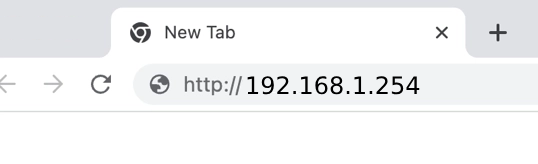
- Press
Enteron your keyboard. - A login page will appear. Enter the default username and password for your router.
- You will now be logged into your router’s admin panel.
Note: An IP address consists only of numerical digits separated by periods. Typing 192.168.l.254 will not work because “l” is not a valid character.
Default Username and Passwords
| Router Brand | User Name | Password |
|---|---|---|
| Telmex Infinitum | TELMEX | Contraseña (WPA) printed on modem box |
| Nokia (Subisu) | AdminGPON | ALC#FGU |
| Nokia (Worldlink) | userAdmin | Printed on a label on the back of router |
| AT&T | — | Device Access Code printed on the gateway label |
| Fastweb | (Printed on modem) | (Printed on modem) |
| Telus | admin | (Admin Password printed on modem) |
| Spark NZ | admin | admin |
| Maxis | administrator | (Router’s Serial No. printed at the back of your router) |
| Plusnet | admin | Admin password for Hub Manager printed on back of the router. |
Also, you can check the list of default username and password.
Forgotten Username and Password for 192.168.1.254?
If you’ve forgotten the username and password for your router’s admin panel at 192.168.1.254, here’s what to do:
Check Router Box: Look for a sticker on the back of your router box. It might contain the default username and password.
Review Router Manual: Consult the manual or guide that came with your router. It should list the default login credentials.
Factory Reset:
If you’ve changed the login credentials and forgotten the new ones, you’ll need to reset your router to factory settings. This will revert all settings, including the username and password, to their defaults.
- Locate the Reset button on the back of your router. It’s usually small and recessed.
- Use a paperclip or similar object to press and hold the Reset button for about 10 seconds.
- When the lights on the front of your router start blinking, release the button. The router is now resetting.
- Wait for the router to reboot completely.
- You can now log in using the default username and password.
Default 192.168.1.254 username and password
These are factory logins for devices that use 192.168.1.254. If you or your ISP changed the password, it will not work — reset the router to restore it.
By router brand
| Router / ISP | Login address | Username | Password | Source |
|---|---|---|---|---|
| Nokia (Alcatel-Lucent) ONT G-240W / G-140W and other ISP fibre ONTs | 192.168.1.254 | AdminGPON | ALC#FGU | |
| Nokia (Alcatel-Lucent) ONT Some G-240W-C units | 192.168.1.254 | adminadmin | ALC#FGU | |
| Nokia (Alcatel-Lucent) ONT Newer ISP-branded units | 192.168.1.254 | userAdmin / admin | Printed on the label | |
| Prolink Hurricane 6300G (Globe At Home) | 192.168.1.254 | admin | admin | Official doc |
“Official doc” rows link to the manufacturer’s or ISP’s own documentation, via the ssid.ai router dataset (CC BY 4.0).
By internet provider
| Router / ISP | Login address | Username | Password | Source |
|---|---|---|---|---|
| AT&T gateway (BGW, Pace, Arris) | 192.168.1.254 | — | Device Access Code on the label | |
| BT – Smart Hub 2 | bthomehub.home or 192.168.1.254 | — | Printed on the label | Official doc |
| EE – Smart Hub | 192.168.1.254 | admin | Printed on the label | Official doc |
| EE – Smart Hub Plus | 192.168.1.254 | — | Printed on the label | Official doc |
| Plusnet – Hub One | 192.168.1.254 | admin | Printed on the label | Official doc |
| Plusnet – Hub Two | 192.168.1.254 | admin | Printed on the label | Official doc |
| TELUS Wi-Fi Hub (Actiontec T3200M) | 192.168.1.254 | admin | Printed on the label | Official doc |
| eir fibre box F5366s | 192.168.1.254 | admin | Printed on the label | Official doc |
| Spark Smart Modem 2 | 192.168.1.254 | admin | admin | Official doc |
“Official doc” rows link to the manufacturer’s or ISP’s own documentation, via the ssid.ai router dataset (CC BY 4.0).
Routers and ISPs that use 192.168.1.254
- AT&TUnited States · 192.168.1.254
- BTUnited Kingdom · 192.168.1.254
- EEUnited Kingdom · 192.168.1.254
- PlusnetUnited Kingdom · 192.168.1.254
- TELUSCanada · 192.168.1.254
- eirIreland · 192.168.1.254
- SparkNew Zealand · 192.168.1.254
Ways people mistype 192.168.1.254
An IPv4 address is four numbers separated by three dots. These are the versions people type by mistake — none of them will open your router:
| What people type | Why it fails |
|---|---|
| 192.168.l.254 | The letter “l” instead of the number 1. |
| 192.168 1.254 | A space instead of a dot. Browsers read anything with a space as a search phrase. |
| 192.168.1254 | A missing dot, so it is not a valid address. |
The correct address is 192.168.1.254. Type it in the address bar, not the search box, with http:// in front.
Find your router’s IP address
If the address on this page does not open, your router uses a different one. Your device already knows it — it is called the default gateway.
- Windows: press Win + R, type
cmd, then runipconfig. Look for “Default Gateway”. - Mac: System Settings → Network → Wi-Fi → Details → TCP/IP → “Router”.
- Android: Settings → Wi-Fi → tap your network (or the gear icon) → “Gateway” or “Router”.
- iPhone / iPad: Settings → Wi-Fi → tap ⓘ next to your network → “Router”.
- Linux: run
ip route | grep default. - Label: most routers print the login address on a sticker underneath.
192.168.1.254 network details
192.168.1.254 is a private address, so it only works inside your home or office network. Anyone outside sees your public IP instead.
| Address type | Private (not reachable from the internet) |
|---|---|
| Private block | 192.168.0.0/16 (Class C private) |
| Usual network | 192.168.1.0/24 |
| Subnet mask | 255.255.255.0 |
| Usable addresses | 192.168.1.1 – 192.168.1.254 (254) |
| Broadcast | 192.168.1.255 |
| Typical DHCP pool | Set by the router — often 192.168.1.100 – 192.168.1.199 or 192.168.1.2 – 192.168.1.254 |
Frequently asked questions
What is 192.168.1.254?
192.168.1.254 is a private IP address used as the admin (login) page of a router or modem. It is used by Nokia (Alcatel-Lucent) ONT, Prolink, AT&T, BT, EE.
What is the default password for 192.168.1.254?
The most common default is username admin and password admin. Many newer routers print a unique password on the label instead.
Why can’t I open 192.168.1.254?
You must be connected to that router, and the router must actually use 192.168.1.254. Check your default gateway, turn off VPN, and type http://192.168.1.254 in the address bar.
Is it safe to change settings at 192.168.1.254?
Yes, as long as you note what you change. The worst case is fixed with a factory reset. Always change the default admin password.
Can I access 192.168.1.254 from outside my home?
No. 192.168.1.254 is private and only reachable from inside the network. Some routers offer remote management or an app for that.