ZTE Router Login
ZTE fibre ONTs are supplied by ISPs such as IndiHome, PTCL, Converge and many others. They almost always open at 192.168.1.1; the user-level login is often user / user.
Username / password: user / user
Login address: 192.168.1.1
Contents
- ZTE default username and password
- ZTE default IP addresses
- How to Login to ZTE Router?
- How to Change WiFi Network Name (SSID) on ZTE Routers?
- How to Change WiFi Password on ZTE Routers?
- Compatible ZTE Router Models
- ZTE models
- Internet providers that supply ZTE routers
- Frequently asked questions
- Other router brands
ZTE default username and password
| Router / ISP | Login address | Username | Password |
|---|---|---|---|
| ZXHN F609 / F660 / F670L (fibre ONT) | 192.168.1.1 | user | user |
| ZXHN H108N / H267A (DSL) | 192.168.1.1 | admin | admin |
| MF 4G pocket routers | 192.168.0.1 | admin | admin |
If the default login is rejected, the password was changed. The only way back in without it is a factory reset.
ZTE default IP addresses
ZTE routers falls in IndiHome router connection. After Logging into your ZTE router you can control settings like Wi-Fi name, password, security, SSID and connected devices. ZTE router uses two default IP’s 192.168.1.1 or 192.168.0.1
192.168.1.1 192.168.0.1Don’t know how to login to a ZTE Router or your ZTE router’s Username and Password? Don’t worry!! This article is will help you in that.
How to Login to ZTE Router?
1. Connect to the Router
At first, connect your mobile, laptop or desktop to the ZTE router or using a LAN cable.
2. Open Internet Browser
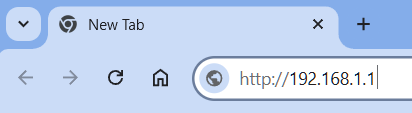
Now from your device open any internet browser (Chrome, Firefox, Edge etc.) and go to the address bar and go to this IP 192.168.1.1 or 192.168.0.1
3. Enter Router Username and Password
Once you see a login page, enter admin for both the Username and Password. Then click the login button for login. Use Web@0063 for password if admin isn’t working.
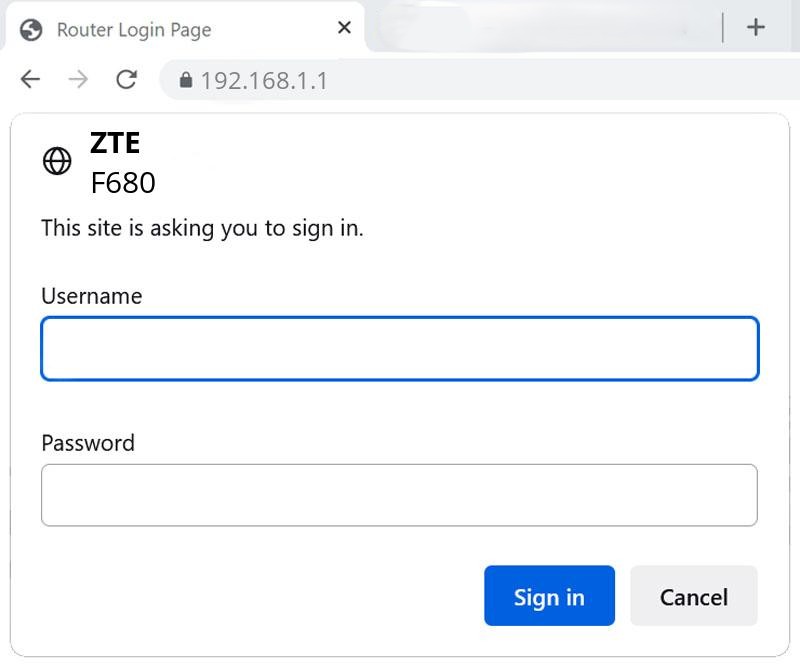
Note: Some ZTE routers have the username & password printed on a sticker behind the device.
4. Access the Router Dashboard
After logged in you can see the ZTE router Dashboard. From there you can:
- Change Wi-Fi name (SSID)
- Change Wi-Fi password
- Monitor who is connected
- Reboot the router
- Setup parental control or MAC filtering
- Block unknown devices
How to Change WiFi Network Name (SSID) on ZTE Routers?
Follow the previous steps and Login to your ZTE Router. After login follow the below steps:
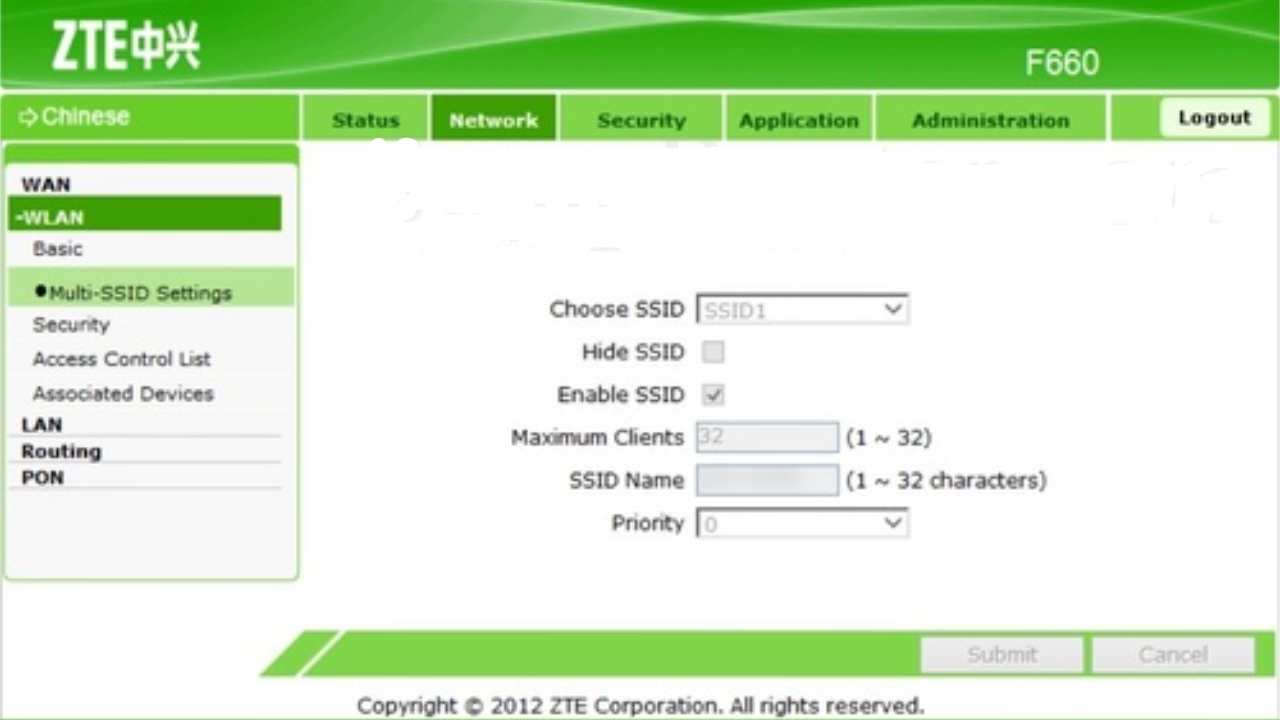
1. Go to the Wireless Settings
- Click Network or Wireless from the left menu.
- Then go to WLAN or WiFi Settings
- After that select on SSID Settings or SSID Configuration
2. Change the WiFi Name
- Find a field called SSID Name or Network Name in the screen.
- Remove the old name and type your new WiFi name (Example:
My_WiFiorHomeNet_24).
3. Save the Settings
Click on Apply or Save to confirm your changes. Your WiFi will then restart with the new name and then you will have to reconnect all your devices in the WiFi network.
How to Change WiFi Password on ZTE Routers?
Changing WiFi password frequently keeps your Internet secure and makes it safe from Intruders. Follow the previous steps and Login to your ZTE Router. After login follow the below steps:
1. Go to the Wireless Settings
- Click Network or Wireless from the left menu.
- Then go to WLAN or WiFi Settings
- After that select on SSID Settings or SSID Configuration
2. Change the WiFi Password
- Find the field that named WPA Passphrase or Pre-shared Key
- Delete the old Password and a set a new Password.
Make sure the new password is at least 8 characters and a mix of letters, numbers, and symbols for better security.
3. Save the Settings
Click on Apply or Save to confirm your changes. Your WiFi will then restart and you will have to reconnect all your devices using the new password.
Compatible ZTE Router Models
These processes are compatible with common ZTE Routers like
- ZTE F609
- ZTE F660
- ZTE F668
- ZTE F680
- ZTE H108N and other router models.
ZTE models
Login details for individual models, each checked against ZTE’s own documentation.
| Model | Login address | Username | Password | Source |
|---|---|---|---|---|
| F689 ONT (izzi México fibra) | 192.168.1.1 | user | user | Official doc |
Internet providers that supply ZTE routers
- Airtel Xstream FiberIndia · 192.168.1.1
- BSNL FTTH (Bharat Fiber)India · 192.168.1.1
- PTCLPakistan · 192.168.10.1, 192.168.1.1
- IndiHomeIndonesia · 192.168.1.1, 192.168.100.1
- PLDT Home FiberPhilippines · 192.168.1.1, 192.168.254.254, 192.168.15.1
- Globe At HomePhilippines · 192.168.254.254, 192.168.1.1
- Converge ICTPhilippines · 192.168.1.1
- NayatelPakistan · 192.168.100.1, 192.168.1.1
- Zong 4GPakistan · 192.168.8.1, 192.168.0.1
- Biznet HomeIndonesia · 192.168.1.1
- MyRepublic IndonesiaIndonesia · 192.168.1.1
- Smart BroPhilippines · 192.168.8.1, 192.168.0.1, 192.168.1.1
Frequently asked questions
What is the default IP for ZTE routers?
ZTE routers use 192.168.1.1, 192.168.0.1.
What is the default ZTE router password?
For ZXHN F609 / F660 / F670L (fibre ONT) it is user / user. Newer models often use a unique password printed on the label.
How do I reset my ZTE router?
Hold the Reset button for 5–10 seconds until the lights go off and come back.
Other router brands
- TP-Linktplinkwifi.net · 192.168.0.1 · 192.168.1.1 · 192.168.68.1 · 192.168.0.254
- Netgearrouterlogin.net · 192.168.1.1 · 192.168.0.1 · 192.168.100.1
- Linksysmyrouter.local · 192.168.1.1
- D-Linkdlinkrouter.local · 192.168.0.1 · 192.168.1.1
- ASUSrouter.asus.com · 192.168.50.1 · 192.168.1.1
- Tendatendawifi.com · 192.168.0.1
- Huawei192.168.3.1 · 192.168.8.1 · 192.168.100.1 · 192.168.1.1
- Xiaomimiwifi.com · 192.168.31.1