IndiHome Router Login
IndiHome (Telkom Indonesia) uses ZTE, Huawei and FiberHome ONTs. ZTE and FiberHome open at 192.168.1.1, Huawei at 192.168.100.1.
ZTE F609 / F670L: user / user
ZTE F609 admin account (older firmware): admin / Telkomdso123
Contents
IndiHome default username and password
| Router / ISP | Login address | Username | Password |
|---|---|---|---|
| ZTE F609 / F670L | 192.168.1.1 | user | user |
| ZTE F609 admin account (older firmware) | 192.168.1.1 | admin | Telkomdso123 |
| Huawei HG8245H5 | 192.168.100.1 | user | user (or admin / admin) |
| FiberHome HG6243C | 192.168.1.1 | user | user1234 |
Credentials vary by model and installation date. The sticker on your router always wins.
IndiHome router most commonly used by ZTE, Huawei, or FiberHome routers. If you are using IndiHome internet connection in your home or office, sometimes you may need to login to your router. For example, to change your Wi-Fi password, check connected devices, or improve network security, accessing your router settings is a must.
192.168.100.1 192.168.1.1How to Login to IndiHome Router?
1. Connect to Your IndiHome Network
At first, make sure your mobile, laptop or desktop is connected to the IndiHome Wi-Fi or using LAN cable.
2. Open Internet Browser
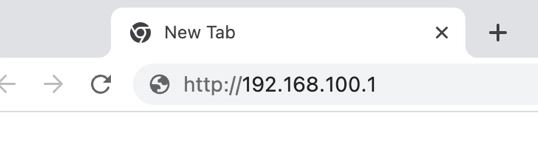
Now open any internet browser (Chrome, Firefox, Edge etc.) and go to the address bar and go to this IP 192.168.100.1 or 192.168.1.1.
3. Enter Router Username and Password
After that, you will see a login page. Now enter the default username and password.
IndiHome router has three router brands. See here respective brand IP: Default IP username and password.
4. Access Router Dashboard
Once logged in, you can now:
- Change SSID/Wi-Fi name
- Change password
- Monitor connected users
- Setup parental control
Default IP Addresses for IndiHome Routers
| Router Brand | Default IP Address | Default Username | Default Password |
|---|---|---|---|
| ZTE | 192.168.1.1 | admin | admin |
| Huawei | 192.168.100.1 | telecomadmin | admintelecom |
| FiberHome | 192.168.1.1 or 192.168.0.1 | user | user1234 or admin |
| Nokia/Alcatel | 192.168.1.1 | admin | admin |
Why You Need to Login to Your IndiHome Router?
By logging into your IndiHome router, you can:
- Change your Wi-Fi name and password
- Limit or block unknown devices
- Boost internet speed by proper settings
- Check who is using your internet
- Configure advanced settings like port forwarding, parental control etc.
Troubleshooting Tips:
- Wrong password? Try resetting the router by pressing the reset button for 10 seconds.
- Can’t open the IP? Try different IP address.
- Still problem? Contact IndiHome customer care.
Router brands used by IndiHome
Still need help?
If the login page will not open or the password is refused, contact IndiHome support: myIndiHome app or 188. A factory reset also works, but on ISP routers it can remove your internet settings — ask your provider first.
Frequently asked questions
What is the IndiHome router IP address?
IndiHome routers use 192.168.1.1 or 192.168.100.1.
What is the default IndiHome router password?
ZTE F609 / F670L: user / user. If it does not work, check the router label.
How do I change my IndiHome Wi-Fi password?
Network → WLAN → SSID Settings (name) and Security (WPA passphrase) → Submit.